Transpose sheet music and keep the original look
Upload the printed page you already use, as a photo, scan or PDF. Solfa moves the notation needed for a new key on that page instead of re-engraving the whole score. The page layout, lyrics, headings and pencil marks remain part of the original image. Check the result before you print or perform it: automatic recognition can miss notes or accidentals.
Real before and after: Amazing Grace, two semitones higher
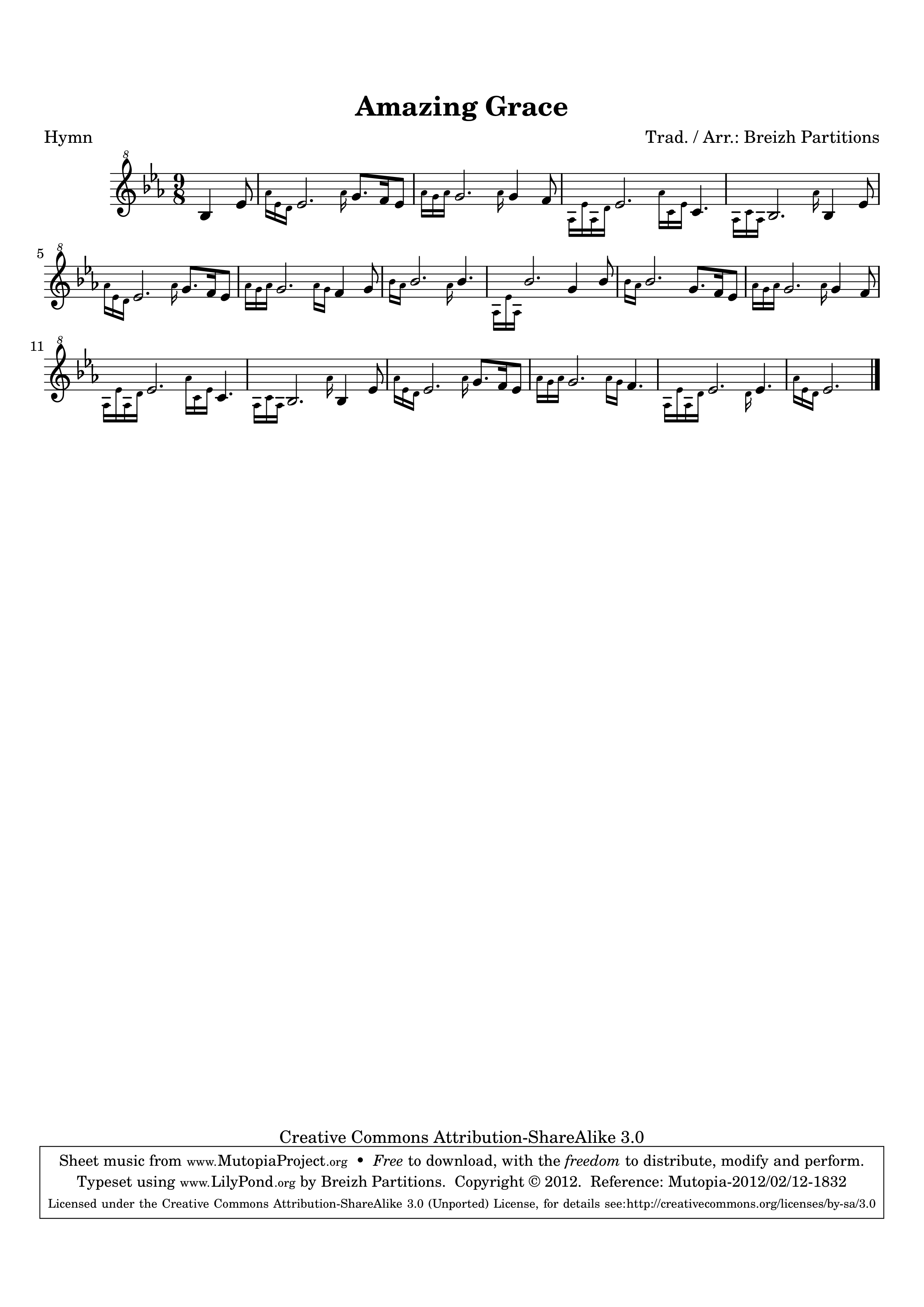
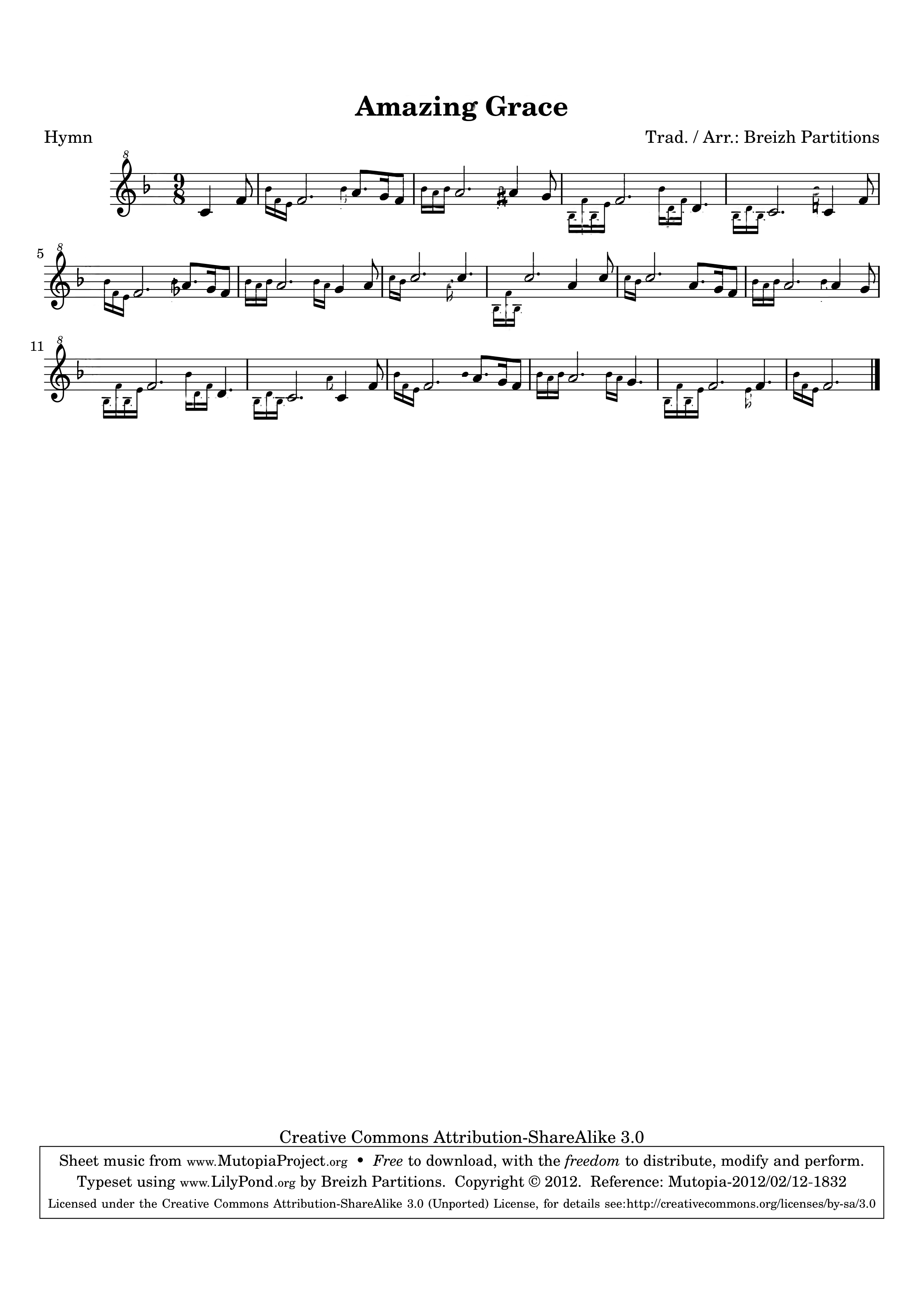
The same PDF page before and after a +2-semitone transposition. Notes and key signature change; the title, spacing and page format stay. These are actual Solfa output images, not redrawn examples. Open either page to inspect it in full.
“Amazing Grace”: Traditional, arrangement by Breizh Partitions. Source and Solfa adaptation (+2 semitones) under CC BY-SA 3.0. Mutopia · CC BY-SA 3.0How it works
- Upload a photo, scan or PDF — one page or many.
- Choose an interval from −12 to +12 semitones.
- Preview the first staff, then spend 1 credit per page to unlock the rest.
- Download a PDF or PNG of the transposed page.
Who it is for
- Singers who need a piece in a comfortable range
- Choir and ensemble directors preparing parts before rehearsal
- Teachers adapting material on the fly
What works today
Single- and multi-staff scores, photos and PDFs, a rewritten key signature and respelled accidentals. Enable “Also transpose chord symbols” to transpose chord names too, and check them in the result. Clear scans give the cleanest results.
Questions
Will the transposed score keep the original layout?
Solfa edits the original page image rather than replacing it with a newly engraved score. Layout, lyrics and headings stay in place; the notes and key signature that need transposing change. Inspect the preview for recognition errors.
Can I transpose a photo of a printed page?
Yes. A straight, sharp photo is enough in most cases. Very dark or skewed shots are harder.
Do I need MusicXML or MuseScore?
No. Solfa works from the page image or PDF you already have.
What does a credit cost?
One credit transposes one page. New accounts get 2 free credits after phone verification. Credits do not expire.